Police Scanner - Live Radio
- 4.8
- Rating
- 10.00M
- Installs
- Free
- Price

 Analysis by App-foxy
I tried Police Scanner - Live Radio as the sort of app you keep nearby rather than open for hours at a time. It belongs to the News & Magazines category, but it feels more practical than a normal headline reader: you listen to live scanner audio and follow the kind of local activity that may matter to your surroundings. The developer is Police Scanner, Scanner Live Radio App, and the app is free to install, with optional in-app purchases ranging from $1.49 to $64.99 per item.
My first impression was that this is best understood as a listening tool, not an official emergency-information service. That distinction matters. A scanner feed can provide useful context, but it should not replace emergency services, official alerts, or direct instructions from local authorities. Used with that boundary in mind, it can be an interesting addition to a household phone or tablet, especially for people who want to stay aware without constantly refreshing social media.
How it works in a shared household
The most natural shared-device scenario is a family tablet or an older phone placed in a common room. One person can listen while cooking, working at a desk, or waiting for a storm to pass, and another household member can glance over when something catches their attention. That makes the app different from a private news feed: the audio can become a shared source of situational awareness rather than something everyone has to read separately.
You May Also Like

 AccuWeather: Weather Radar
AccuWeather Review: A Quick, Clear Forecast for Everyday Decisions
For everyday plans, the best forecast is the one you can understand quickly. AccuWeather makes rain timing, radar, and local conditions easy to act on, with a few trade-offs.

 Hill Climb Racing
Why Hill Climb Racing Still Turns Crashes Into One More Run
A tiny car, a bumpy hill and one more upgrade: Hill Climb Racing keeps resurfacing because its simple chaos makes every near-miss feel personal.

 AliExpress - Shopping App
AliExpress Makes Global Shopping Feel Personal, but Shoppers Bear the Risk
AliExpress turns a global marketplace into a pocket-sized discovery engine. Its reach is useful, its shopping loop compelling, and its trade-offs easy to miss.

 Lords Mobile: Kingdom Wars
Lords Mobile Is a Kingdom-Building Routine, Not a Quick Match
A case-by-case verdict on the building, battles, device demands, and social commitments that make Lords Mobile rewarding for some players and exhausting for others.

 PDF Scanner app - TapScanner
TapScanner Makes Paperwork Easier to Capture, Check, and Share
TapScanner makes scanning with a phone feel less like a rescue operation and more like a dependable step in getting work done. Its capture tools are useful, though not flawless.

 Block Blast!
 Shows How Much a Puzzle Game Can Leave Out
A quiet grid game shows why puzzle players increasingly value instant clarity, repeatable skill and low-pressure play—and where the genre still needs to catch up.
More From Our News Desk
View All News


I would still treat it as an occasional background companion, not permanent household noise. Scanner conversations can be repetitive, unclear, or unexpectedly intense. A parent may be comfortable listening during the day but decide not to leave it running near younger children at night. The Teen content rating is a useful reminder that the material may not suit every listener, even when the device is being used by the whole family.
One practical routine is to keep the app available for specific situations: severe weather, a major local event, a long power outage, or a period when roads around the home are unusually busy. In those moments, listening can help explain why sirens are passing or why traffic is changing. Outside those situations, a normal local-news app or official notification channel may be calmer and easier to understand.
The key household advantage is shared context, not guaranteed speed or completeness. If someone hears a fragment about an incident, the responsible next step is to check an official source before changing travel plans, contacting someone, or spreading the information. Scanner audio is raw by nature, so it can be useful without being definitive.
What I would do before handing over the device
I would open the app myself first and listen long enough to understand the style of the available radio content. That gives me a better sense of whether the material is suitable for the people who will use the device. I would also explain that hearing something on a scanner does not mean every detail is confirmed, and that private information heard in passing should not be repeated.
This is especially important with a shared phone. A child might interpret an urgent-sounding exchange as a complete story, while an adult understands that radio traffic can be abbreviated and difficult to place. The app does not turn a household into an emergency operations center. It simply provides access to live audio that needs judgment.
Setup, boundaries, and everyday listening
Police Scanner - Live Radio runs on Android devices using version 6.0 or later, which makes it accessible on many older phones and tablets. The current version is 1.28.2-251125140. I like that this lowers the barrier for a spare device, because a shared household setup does not need to occupy the newest phone.
The basic setup question is not only “Can this device run it?” but also “Who is going to use it, and for what?” On a personal phone, casual listening is straightforward. On a shared device, I would decide whether the app is for background awareness, planned listening during weather events, or occasional curiosity. That decision prevents the app from becoming a constant source of interruptions.
Because the app is free, trying it does not require an upfront purchase. The optional purchases deserve a little attention, though. The range from $1.49 to $64.99 per item is wide enough that I would avoid tapping through any purchase screen casually, particularly on a device used by several people. If the phone is shared, the person responsible for payments should be the one making decisions about upgrades.
I would also keep account boundaries simple. If the app is installed on a family tablet, I would not assume that every household member should have access to the same payment setup or personal device account. The safest approach is to let the owner of the device handle purchases and make the listening expectations clear to everyone else. That is ordinary household organization, but it matters more when an app offers optional paid items.
Another useful boundary is volume. Scanner audio can be easy to miss at low volume and distracting at high volume, so I would use a moderate level in a common room and headphones when listening privately. Headphones are the better choice when other people are working, sleeping, or simply do not want to hear radio traffic. This small habit makes shared use much less frustrating.
When the app is more useful than a normal news feed
A standard news app is usually better at explaining what happened. It gives you a headline, background, and often a cleaner summary. This scanner app is more immediate in a different way: it lets you hear activity as it unfolds, even when a polished article has not appeared yet. That can be valuable when you are trying to understand why the neighborhood suddenly sounds busy.
The trade-off is interpretation. News articles filter and organize information, while scanner audio requires the listener to follow fragments. I would choose the scanner when I want live atmosphere or early context, and a conventional news source when I need a reliable account that I can easily share with someone else.
Weather radio listening is another situation where the app may fit naturally. During a storm, one person can monitor the audio while another checks official forecasts and household plans. I would not use the scanner alone to decide whether to evacuate, travel, or shelter. Its best role is as one input in a broader routine that includes official emergency communication.
Coordination without turning listening into panic
In a household, the biggest benefit is often coordination. If one person hears traffic related to a road closure or a local emergency, they can alert the others to check official information and adjust plans. That is more useful than everyone independently listening and drawing different conclusions.
I would establish a simple rule: the listener reports what they heard as a question, not as a confirmed fact. “There may be an incident near the main road; can we check the city alert?” is responsible. “The road is definitely closed” may be wrong if the audio was misunderstood or referred to another location. This wording keeps the app helpful without giving it more authority than it deserves.
A shared device can also work as a listening station during a planned event. For example, before driving across town during severe weather, one household member can monitor the app while another checks maps and official updates. The person holding the phone should not be the driver. If the information becomes confusing, the household should fall back to official instructions rather than spending time decoding radio traffic.
There is a less obvious advantage here: the app can help explain sounds that would otherwise create uncertainty. Sirens, helicopters, or repeated emergency vehicles can be unsettling when nobody knows what is happening. Listening may provide a clue, but I would still avoid treating a nearby broadcast as permission to approach an incident. Staying away and respecting responders is more important than satisfying curiosity.
For remote family coordination, I would not assume that the app itself replaces messaging or calling. Its role is listening. If several people need the same update, one person can summarize carefully through the household’s usual communication method, while others verify it independently. That separation between listening and coordination reduces the chance that an unclear phrase becomes a widely repeated rumor.
Age, trust, and responsible use
The Teen rating should shape how families introduce the app. Even if a young person can operate it easily, live emergency audio may include distressing situations or language that parents would rather discuss first. I would let a parent or guardian decide when it is appropriate, listen alongside a younger user at the beginning, and explain that real incidents are not entertainment.
Trust also matters for older children and teenagers who use a shared phone. I would not frame the app as a way to investigate neighbors, follow particular people, or search for dramatic incidents. The healthier use is general awareness: understanding local conditions, learning how emergency communication sounds, and knowing when to turn the audio off.
There is no reason to make the app the center of a child’s emergency education. A household should still teach basic actions such as contacting emergency services when appropriate, following official warnings, and leaving dangerous areas. Scanner listening can illustrate how quickly situations develop, but it does not provide a complete safety plan.
For adults, the same caution applies in a different form. Repeated exposure to alarming audio can increase anxiety, especially when the listener keeps checking for the next incident. I would set a purpose and a stopping point. If the app is making everyone tense without adding useful information, switching to an official bulletin or turning it off is the better decision.
The app’s popularity suggests that it has broad appeal: it has a 4.8 average from around 128 thousand ratings and more than 10 million installs. Those figures show that many people find the concept worthwhile, but they do not remove the need for personal judgment. A popular scanner app can still be the wrong fit for someone who wants quiet, polished reporting or who finds live emergency audio stressful.
Who should choose it, and who should skip it?
I would recommend it to curious adults, local-news followers, weather watchers, and households that want a live audio option during unusual events. It is also a reasonable choice for someone who prefers listening while doing chores instead of reading a screen. The free entry point makes it easy to test whether raw radio traffic suits your habits.
I would skip it if you need verified, neatly summarized information. A newspaper app, local broadcaster, government alert system, or weather service will usually be better for that purpose. I would also skip it if you expect every local incident to be available, clearly labeled, and easy to interpret. Scanner listening is inherently dependent on what is being transmitted and how understandable the communication is.
People who are sensitive to emergency sounds should be cautious too. The app can be informative, but it is not designed to make every situation feel calm. In a family setting, that means one person’s interest should not automatically determine what everyone else hears in the living room.
My household verdict after using it
Police Scanner - Live Radio works best when I give it a defined job. I would use it as a live listening window during weather concerns, unusual local activity, or a shared moment of curiosity, then verify important details elsewhere. That workflow takes advantage of its immediacy without confusing raw audio with a complete news report.
The app is also more suitable for a shared device than I initially expected, provided the household agrees on volume, timing, age suitability, and purchase responsibility. It can help people notice what is happening around them and start a sensible conversation about checking official sources. It should not be left to younger users as an unsupervised source of dramatic audio, and it should not become a substitute for emergency services.
Its free status is appealing, while the optional purchases mean I would keep payment decisions with the device owner. The Teen rating calls for adult judgment, and the Android 6.0 requirement means it can fit on an older spare device. Those details make it practical for a household setup, but they do not change the central question: does your family want live scanner audio, or would everyone be better served by a quieter, more structured news source?
My answer is positive with limits. I would keep it available for focused listening and coordination, not run it endlessly in the background. If you enjoy following local activity and can separate useful clues from unconfirmed fragments, it offers something a normal news app cannot. If your priority is certainty, calm presentation, or simple alerts that require little interpretation, another category of app will serve you better.
For the right household, that balance is the whole appeal. It is a free way to listen, learn how local emergency traffic sounds, and notice developing situations, as long as everyone remembers that responsible decisions come from verified guidance rather than from one hurried radio exchange.
FAQs for Police Scanner - Live Radio
01What is Police Scanner - Live Radio and how does it work?
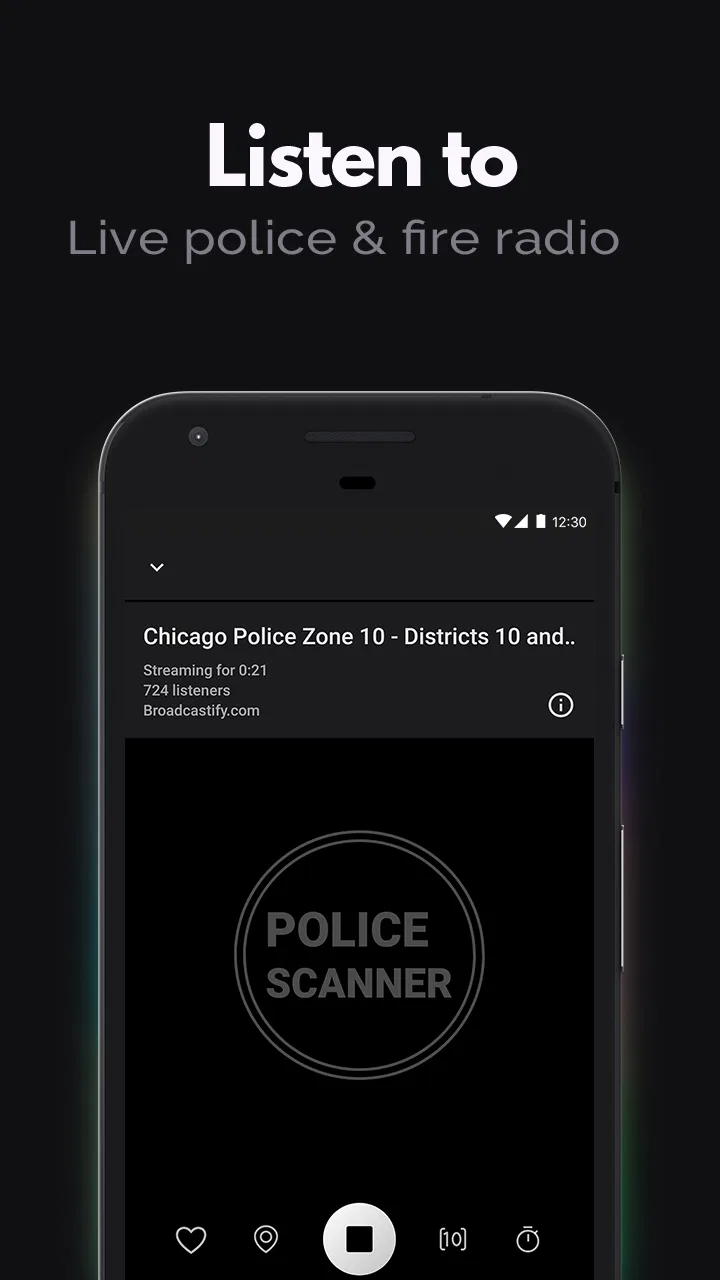
Police Scanner - Live Radio is an app that allows users to listen to live audio streams from police, fire, and emergency services. It connects to various radio frequencies and broadcasts real-time events happening in different areas. The app is designed for those interested in staying informed about local incidents and emergencies.
02Is Police Scanner - Live Radio legal to use?
Yes, using Police Scanner - Live Radio is legal in many regions as it streams publicly available radio frequencies. However, users should be aware of local laws and regulations, as some areas may have restrictions on listening to certain communications. Always ensure compliance with local laws before using the app.
03Does the app require an internet connection?
Yes, Police Scanner - Live Radio requires an active internet connection to stream live audio feeds. The app uses either Wi-Fi or mobile data to access and relay the broadcasts. Users should be mindful of data usage if they are not connected to Wi-Fi, as streaming can consume a significant amount of data.
04Can I customize the channels I listen to on Police Scanner - Live Radio?
Yes, the app typically allows users to customize their experience by selecting specific channels or feeds. Users can choose from a variety of local and national streams, saving their favorites for easy access. This feature ensures that users can focus on the areas and services that interest them the most.
05Is there a cost associated with using Police Scanner - Live Radio?
The app is often free to download and use, but it may offer in-app purchases or a premium version with additional features. These could include ad-free listening, access to more channels, or enhanced functionality. Users should check the app store listing for specific pricing details and available features.
Pros
- Real-time updates on police activity.
- Wide range of channels available.
- User-friendly interface design.
- Customizable notifications for alerts.
- Works in the background seamlessly.
Cons
- May drain battery quickly.
- Requires stable internet connection.
- Ads can be intrusive during use.
- Limited features in free version.
- Some channels may be inactive.

Police Scanner - Live Radio
Gallery